#ASA Anyconnect Loops
A while ago, we installed a new 5512 with the latest ISO from our old 5510, which was running version 7. Yes, it was long overdue for an upgrade.. The cut over was seamless. I would connect with our new AnyConnect profiles, and AD integration was happy; packets were flowing, and it was time for a beer. Nothing was broken in testing, and everyone was delighted. I heard people talking about Slack not working on the VPN, but I figured it was someone pulling my leg; I never heard anything else after that.
Still no real complaints, but more about slack on the VPN. Several days later, I used the ASDM to check on the ASA.
(High CPU) High CPU and host 10.18.254.255 generated too much traffic. At this point, I had no clue what was going on.
Upon hearing about the high CPU and excessive traffic from host 10.18.254.255, I immediately delved into testing, double-checking, and triple-checking our configuration. Despite my initial suspicion of a routing loop, I conducted a thorough investigation, leaving no stone unturned. Our team’s dedication to resolving the issue was unwavering.
Around day 2, we started pulling Wireshark traces from the Meraki ports. Now, we begin to see the funky stuff. Five hosts are just hammering NetBIOS.
I began researching VPN Filters to resolve the issue.
| |
I looked into VPN filters to block communication to and from the NetBIOS. The CPU dropped like a rock. We thought the issue was fixed and moved on to the next. We then began investigating the Slack issue. Slack was not connecting on the VPN. When you ran the Slack test, WebSockets were failing. We ran Wireshark on a host where Slack was installed and saw a ton of data. Retrans, out-of-place packets, and traffic that didn’t belong to the host were sent to the host.
| |
After implementing the necessary measures, including adding route Null0 10.18.254.0 255.255.255.0 1 and shutting down the interface, we were able to resolve the Slack connectivity issue. This successful resolution brought a sense of relief, and we could see that the traffic was flowing smoothly.
From Cisco regarding the reason for this version of IOS.
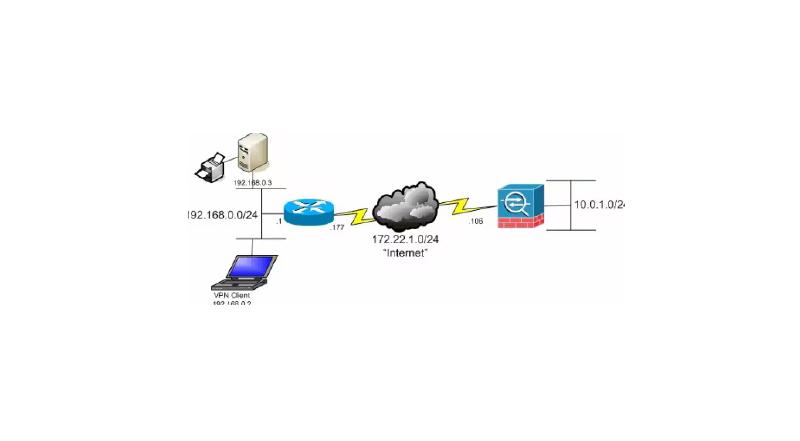
When you send traffic to a Null0 interface, it causes the packets destined to the specified network to be dropped. This feature is useful when you configure Remotely Triggered Black Hole (RTBH) for Border Gateway Protocol (BGP). In this situation, if you configure a route to Null0 for the remote access client subnet, it forces the ASA to drop traffic destined to hosts in that subnet if a more specific route (provided by Reverse Route Injection) is not present.
The Cisco Article about AnyConnect Routing Loops https://www.cisco.com/c/en/us/support/docs/security/asa-5500-x-series-next-generation-firewalls/116170-probsol-asa-00.html